Game modding with LayeredFS
LayeredFS, a tool built into Atmosphère, allows you to (temporarily) replace a game's assets with your own, modified assets as long as you're booted into CFW.
Usage
Check the section below to find your mod's folder/file structure, then install your mod accordingly.
TIP
Checking folder/file structures
- If the mod solely includes a
romfs(and/orexefsfolder), you will need to place that folder inside ofsd:/atmosphere/contents/<title_id>/.- Note: The title ID folder has to be created manually in this case. This is game specific and the title ID of every game can be found on the following websites: switchbrew and nswdb.
- If the mod solely includes a
contentsfolder, you can simply copy that folder tosd:/atmosphere/on your microSD card and merge folders if prompted. - If the mod has the complete folder structure set up (i.e.
atmosphere/contents/<title_id>/romfs/), you can simply copy theatmospherefolder (likely inside of a mod's.zipfile) to the root of your microSD card and merge folders if prompted.
WARNING
Atmosphère 0.9.4 and below
Note: On Atmosphère 0.9.4 and below, contents is named titles
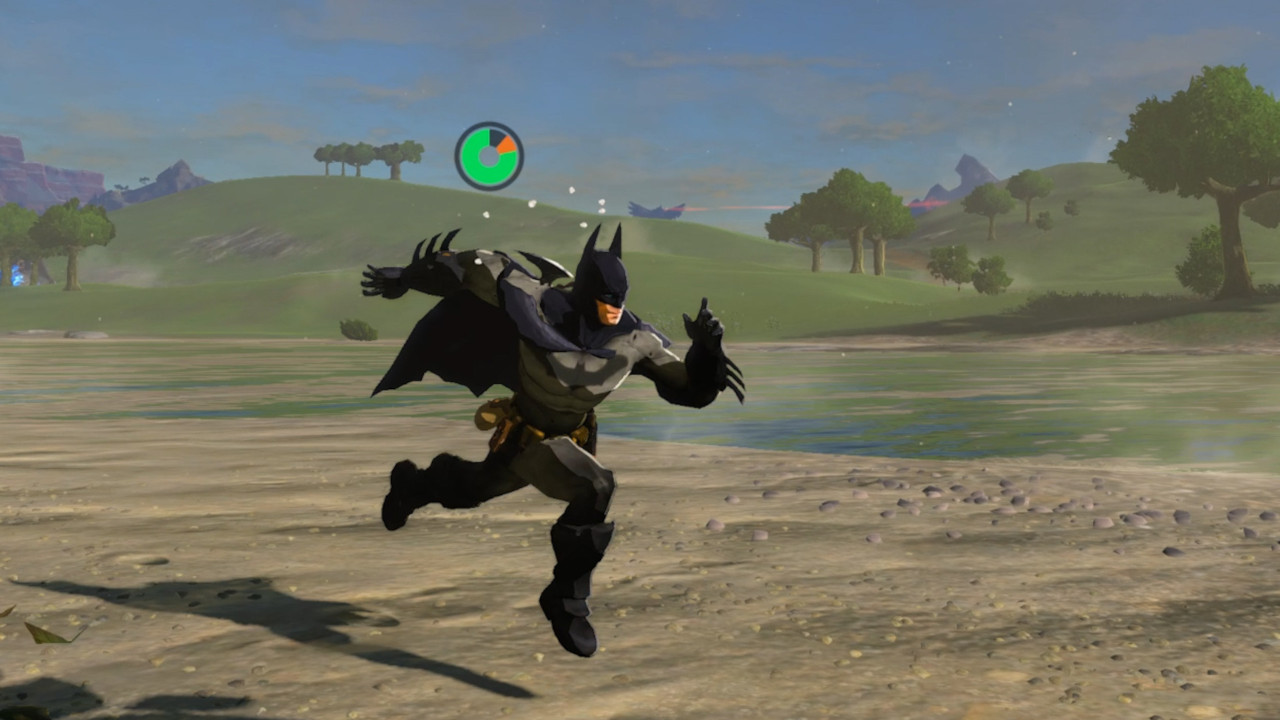
In the image below, you can see a Batman skin mod being used in The Legend of Zelda: Breath of the Wild. In this example, the title ID and mod installation directory would be sd:/atmosphere/contents/0100509005AF2000/.
Additional Notes
TIP
The romfs folder contains modified assets in the way the game would normally read them. romfs stands for "romFileSystem", which is quite literally what the filesystem (folder and file structure) of the game you're modding consists of internally.
TIP
If you want to disable mods on launch of a game, hold the L button before launching the game and then launch it normally. The L button is the default button to do this. This will disable all modifications (like cheats and mods) that you have configured for your game.
WARNING
While most games only require Atmosphère's LayeredFS to enable game modding, there are some games that may require more specialized setup. For example:
- Modding Super Smash Bros. Ultimate requires Ozone and ARCropolis. Ozone's
exefsfolder goes into thesd:/atmosphere/contents/01006A800016E000/directory. ARCropolis looks for mods in thesd:/ultimate/mods/directory on your microSD card. - Modding The Legend of Zelda: Breath of the Wild/Tears of the Kingdom with multiple mods requires the use of BCML or UKMM (Recommended) and TKMM respectively.
- Animal Crossing: New Horizons requires some extra setup for mods to work. The folder that would normally be named
romfshas to be namedromFsand you'll need to create an empty file inside ofsd:/atmosphere/contents/01006F8002326000/romFs/System/Resource/namedResourceSizeTable.srsizetable. More information on this can be found on the ac-modding website.
Troubleshooting
My game crashes upon launch!
If your game crashes during launch, hold the L button to see if disabling all modifications for your game solves the issue. If so, delete the most recently added mod(s) for your game.
My mods aren't showing up in-game!
Assuming you've followed the installation instructions successfully, this is probably due to the archive bit being set on one or more folders/files on your microSD card. This is usually the result of copying files to a microSD card via a Mac. If you are experiencing this issue, try running the archive bit fixer utility via hekate for all files.
This can be done by booting into hekate and going to Tools > Arch bit • RCM Touch • Pkg1/2 > Fix Archive Bit.